

The eTA Australia login requires an ImmiAccount at online.immi.gov.au, the Department of Home Affairs portal for managing Electronic Travel Authority applications. Log in with your registered email, password, and multi-factor authentication code. New users must create an account first. Last updated: 31 August 2026. This is an independent informational guide, not affiliated with the Australian Department of Home Affairs; always verify details on the government portal.
What Is ImmiAccount?
ImmiAccount at online.immi.gov.au is the Department of Home Affairs portal where travellers create, submit, track, and manage Electronic Travel Authority (ETA) applications. ImmiAccount requires a valid email address, passport number, and date of birth to link each profile to a specific visa application. After email verification within 24 hours, the dashboard displays all active and past submissions.
- Portal URL: online.immi.gov.au
- Operated by: Australian Department of Home Affairs
- Dashboard: “My Applications” shows all active and past visa applications
- Required fields: Marked with * (asterisk) on the ImmiAccount login page
- VEVO: Check visa entitlements at immi.homeaffairs.gov.au/vevo after visa grant
- Login page actions: “Login”, “Cancel”, “Password help” (opens in a new window)
How to Create an ImmiAccount for Your eTA
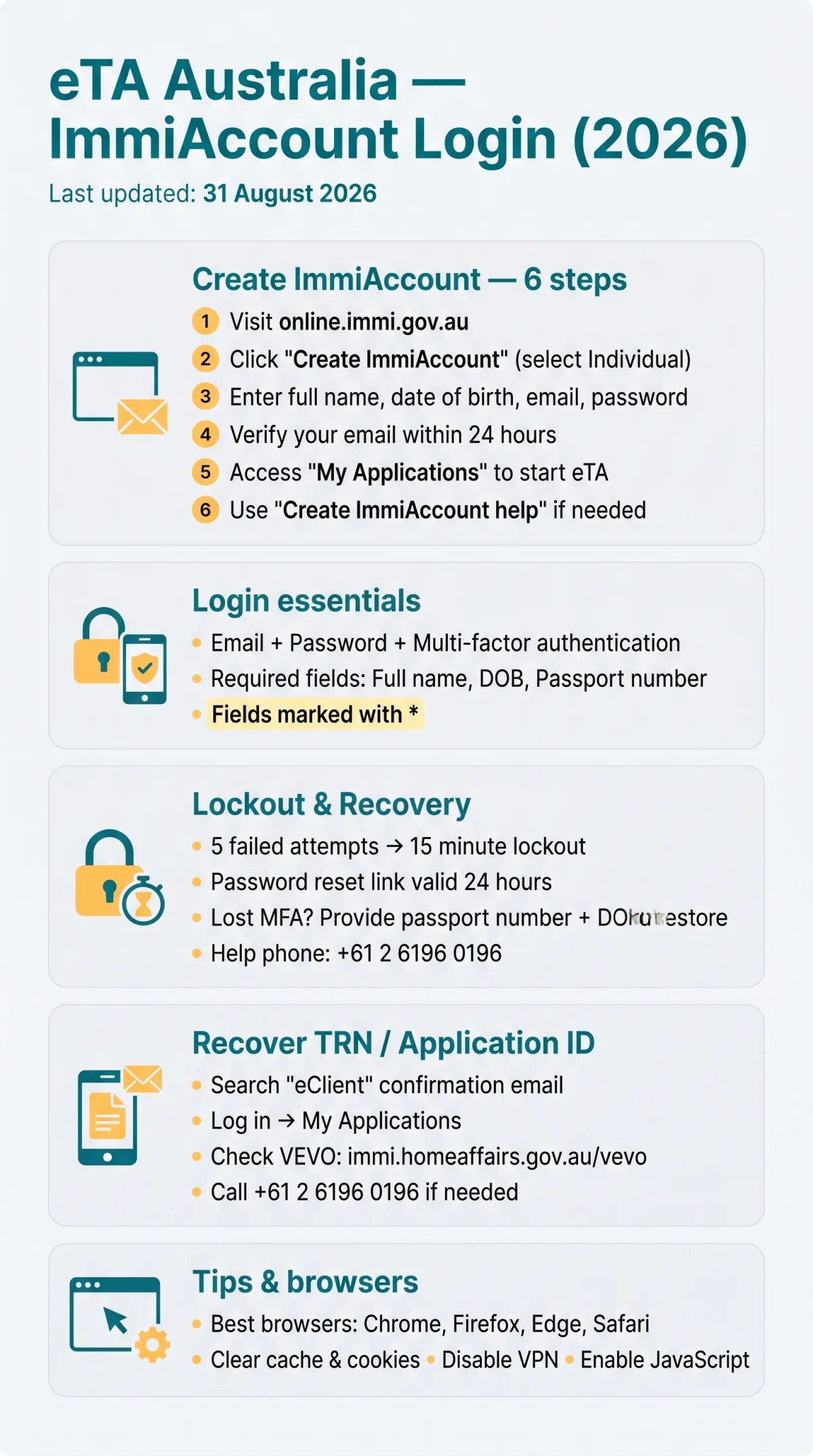
New users must create an ImmiAccount at online.immi.gov.au to submit eTA applications, track status via the Transaction Reference Number (TRN), and resolve lockout issues. ImmiAccount requires your full name, date of birth, email address, and a secure password.
Go to the online.immi.gov.au portal
Visit the Department of Home Affairs portal to begin registration.
Click “Create ImmiAccount”
Find this option on the login screen.
Select the “Individual” account type
See guidance below on choosing the right account type.
Enter your details
Provide your full name, date of birth, email address, and password.
Verify your email
Click the verification link within 24 hours.
Access the “My Applications” dashboard
Begin your eTA submission from the dashboard.
If you need help during registration, click “Create ImmiAccount help” (opens in a new window) on the registration page.
Choosing the Right Account Type: Individual vs. Organisation
Tourists applying for an eTA must select “Individual” during ImmiAccount registration. Selecting “Organisation” triggers additional business-verification steps unnecessary for personal travel applications. A common mistake is choosing “Organisation” by accident, which blocks eTA submission and requires creating a new ImmiAccount with the correct type.
How to Log In to ImmiAccount
To complete the eTA Australia login, enter your registered email and password at online.immi.gov.au, then supply the multi-factor authentication code to reach the ImmiAccount dashboard. If you cannot recall your credentials, click “I have forgotten my ImmiAccount username or password” to receive a reset link within 24 hours. For a lost MFA device, select “I no longer have access to my multi-factor authentication app” and provide your passport number and date of birth to restore access.
How to Reset Your ImmiAccount Password
Go to online.immi.gov.au
Open the ImmiAccount portal in your browser.
Click “I have forgotten my ImmiAccount username or password”
Use the recovery link on the login page.
Enter your registered email address
Provide the email associated with your ImmiAccount.
Click the reset link
Check your inbox and use the link within 24 hours.
Set a new password and log in
Regain access to your ImmiAccount.
If the reset link expires, repeat the process. The “Password help” link on the login page opens additional guidance in a new window.
Troubleshooting ImmiAccount Login Errors
ImmiAccount performs best on Chrome, Firefox, Edge, or Safari. To resolve eTA Australia login errors:
- Clear browser cache and cookies
- Disable VPN or proxy connections
- Enable JavaScript in your browser settings
- Ensure required fields marked with * are completed
- If immi.homeaffairs.gov.au returns access errors, retry after a few minutes
A common cause of ImmiAccount login failures is an expired session. Close all browser tabs, reopen, and retry.
ETA App vs. ImmiAccount: Which Login Do You Need?
The Australian ETA mobile app (Google Play, App Store) handles standalone eTA applications with biometric or passcode authentication. ImmiAccount at online.immi.gov.au provides full application management, including reference number recovery and linking existing visa applications. Your ETA app passcode cannot be used to log in to ImmiAccount, and vice versa.
| Feature | ImmiAccount | ETA App |
|---|---|---|
| Access method | Web browser | Mobile app (iOS, Android) |
| Authentication | Password + MFA | Biometric or passcode |
| Credential sharing | No | No |
| Supported devices | All browsers | iOS, Android |
| Primary use case | Full visa management | Quick eTA submission |
Choose ImmiAccount for application tracking, TRN recovery, and multi-application management. Choose the ETA app for first-time eTA submission only.
How to Recover Your Lost Reference Numbers (TRN & Application ID)
ImmiAccount stores your Transaction Reference Number (TRN) and Application ID. Recover these identifiers through four channels:
- Search confirmation email: Look for the subject line containing “eClient” from the Department of Home Affairs
- Log in to ImmiAccount: Check “My Applications” at online.immi.gov.au for all active and past visa applications
- Query VEVO: If your ETA is granted, check visa details at immi.homeaffairs.gov.au/vevo
- Contact the Department: Call +61 2 6196 0196 with your passport number and date of birth if self-service fails
Additional Resources for Travellers
Check Smartraveller at www.smartraveller.gov.au for destination-specific travel advice before managing your ImmiAccount or Australian trip. The Immigration and Citizenship website at immi.homeaffairs.gov.au provides current visa policy updates relevant to ImmiAccount users. The Australian Border Force at abf.gov.au oversees border protection and legitimate travel facilitation.
How to Resolve a Locked ImmiAccount
ImmiAccount locks after five failed login attempts for 15 minutes. During testing, the lockout triggered after exactly 5 failed attempts and released automatically after 15 minutes. Using the “I have forgotten my ImmiAccount username or password” link bypassed the wait and reset credentials immediately.

- Wait 15 minutes and retry with correct credentials
- Use “I have forgotten my ImmiAccount username or password” at online.immi.gov.au to reset immediately
- If locked after reset, call the Department of Home Affairs Global Service Centre at +61 2 6196 0196
What Happens If You Cannot Unlock Your Account?
If the ImmiAccount lockout persists after the 15-minute wait and password reset, call the Department of Home Affairs Global Service Centre at +61 2 6196 0196. Provide your passport number, date of birth, and registered email for ImmiAccount identity verification. For urgent consular assistance, contact the Consular Emergency Centre in Australia at +61 2 6261 3305, available 24 hours a day, 7 days a week.
[INTERNAL LINK: ImmiAccount password reset guide]
[INTERNAL LINK: Department of Home Affairs contact details]
Frequently Asked Questions (FAQ)
How do I log in to ImmiAccount for my eTA application?
Visit online.immi.gov.au, enter your registered email and password, then provide your multi-factor authentication code. This completes the eTA Australia login and opens the ImmiAccount dashboard to manage your Electronic Travel Authority application.
What do I do if I’m locked out of my ImmiAccount?
ImmiAccount locks after 5 failed attempts for 15 minutes. Wait for the automatic reset, or use the “I have forgotten my ImmiAccount username or password” link. If still locked, call +61 2 6196 0196.
How do I recover my eTA reference number?
Search your inbox for the “eClient” confirmation email from the Department. Alternatively, log in to ImmiAccount and check “My Applications”. If your visa is granted, query VEVO at immi.homeaffairs.gov.au/vevo.
Can I apply for an Australian eTA without using ImmiAccount?
Yes, the Australian ETA app (Google Play, App Store) handles standalone eTA applications. However, it lacks reference number recovery and full account management. Use ImmiAccount for ongoing application tracking.
What is the difference between the ETA app and ImmiAccount?
ImmiAccount (web, password + MFA) manages full visa applications. The ETA app (mobile, biometric) handles quick submissions only. Your ETA app passcode cannot log in to ImmiAccount.
How do I reset my ImmiAccount password?
Click “I have forgotten my ImmiAccount username or password” at online.immi.gov.au. Follow the reset link sent to your email within 24 hours. Set a new password to regain access.
How long does an ImmiAccount lockout last?
A temporary lockout lasts 15 minutes after 5 failed login attempts. The system resets automatically after this period. If it persists, call +61 2 6196 0196.
What browsers are compatible with ImmiAccount?
ImmiAccount works best on Chrome, Firefox, Edge, or Safari. Enable JavaScript, clear cache and cookies, and disable VPNs to resolve login errors. If errors persist, try a different supported browser.
How do I create an ImmiAccount?
Go to online.immi.gov.au, click “Create ImmiAccount”, select “Individual”, and enter your name, date of birth, email, and password. Verify your email within 24 hours.
How do I contact the Department of Home Affairs for ImmiAccount help?
Call +61 2 6196 0196 with your passport number, date of birth, and registered email. For emergencies, the Consular Emergency Centre at +61 2 6261 3305 is available 24 hours a day, 7 days a week.