
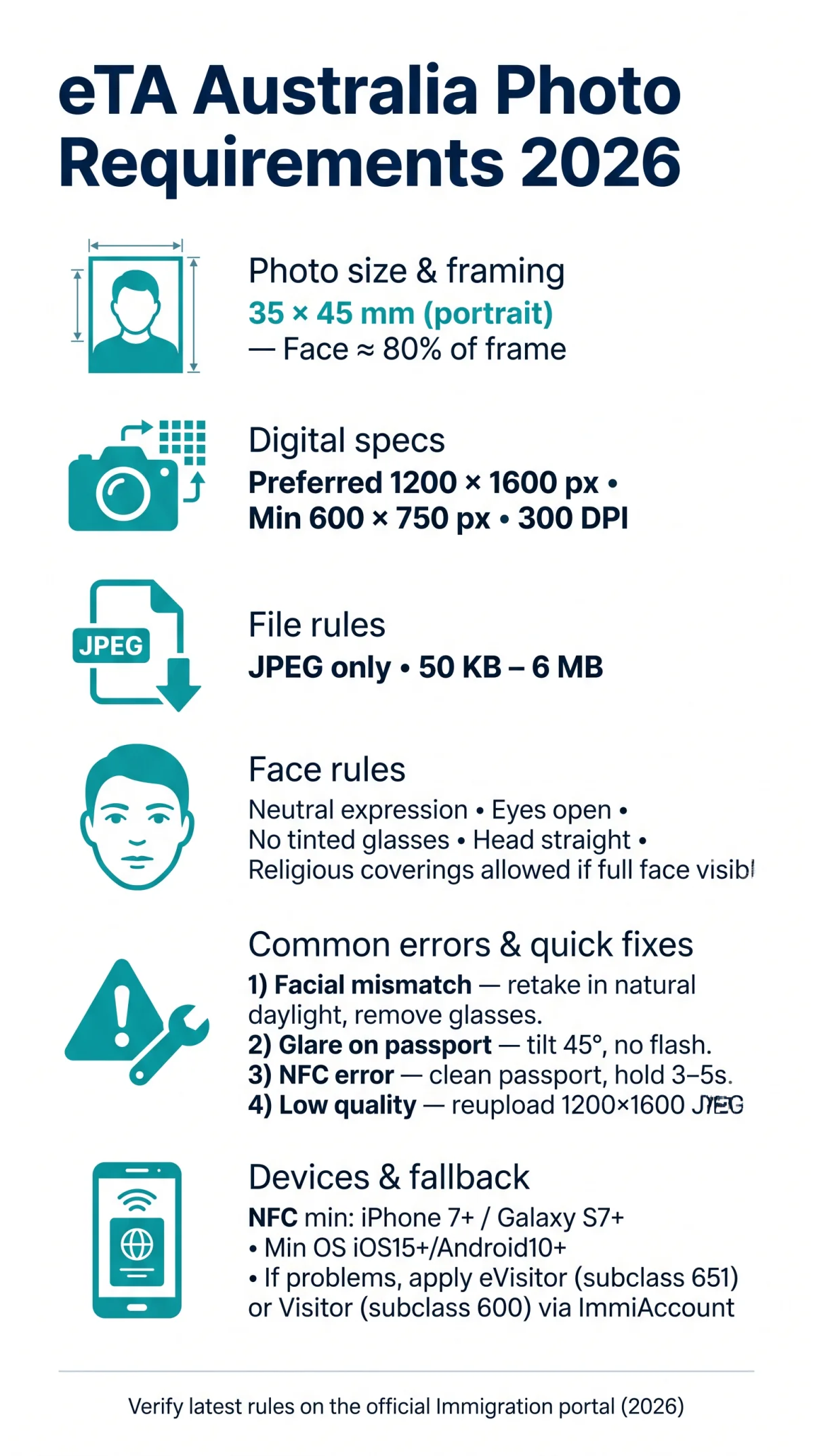
To apply for an eTA, your photo must meet the eTA Australia photo requirements: 35 mm × 45 mm portrait orientation, JPEG format, plain white or light grey background, face occupying 80% of the frame.
The eTA app requires a live facial scan with liveness detection; you must be physically present and the photo must match passport-style guidelines (neutral expression, no shadows). The app reads the passport biodata page via NFC chip or camera. This guide covers photo specs, live scan rules, and solutions for biometric errors to help you meet the eTA Australia photo requirements in the 2026 eTA app.
Last updated: 15 August 2026 | First published: 10 March 2026. This is an unofficial informational guide. Always verify the latest requirements on the official Immigration and citizenship portal before submitting your application.
eTA Australia Photo Dimensions, Resolution & File Format
The eTA Australia photo requirements mandate a head-and-shoulders image sized 35 mm × 45 mm in portrait orientation, saved as a JPEG file between 50 KB and 6 MB, with a plain white or light-grey background. Before uploading to the Immigration and citizenship portal, confirm the file meets eTA Australia photo requirements: 600 × 750 px minimum, 1200 × 1600 px preferred, and 300 DPI.
| Parameter | Specification |
|---|---|
| Physical dimensions | 35-40 mm wide × 45-50 mm high |
| Face height (chin to crown) | 32-36 mm (approx. 80% of frame) |
| Minimum digital resolution | 600 × 750 pixels |
| Preferred digital resolution | 1200 × 1600 pixels |
| Print quality | 300 DPI minimum |
| File format | JPEG only |
| File size limit | 50 KB minimum to 6 MB maximum |
| Background color | Plain white or light grey |
Biometric Face Scan Rules: Expression, Glasses & Headwear
The eTA Australia photo requirements mandate a neutral expression, eyes open, no tinted glasses, and no headwear unless religious attire leaves the full face visible from chin to crown. The eTA app captures your digital facial image and biometric identifiers via a live face scan with liveness detection (eTA uses facial recognition only; a fingerprint scan is not required). The app automatically rejects submissions with shadows, glare, or misaligned features. To meet the eTA Australia photo requirements, follow these biometric standards:
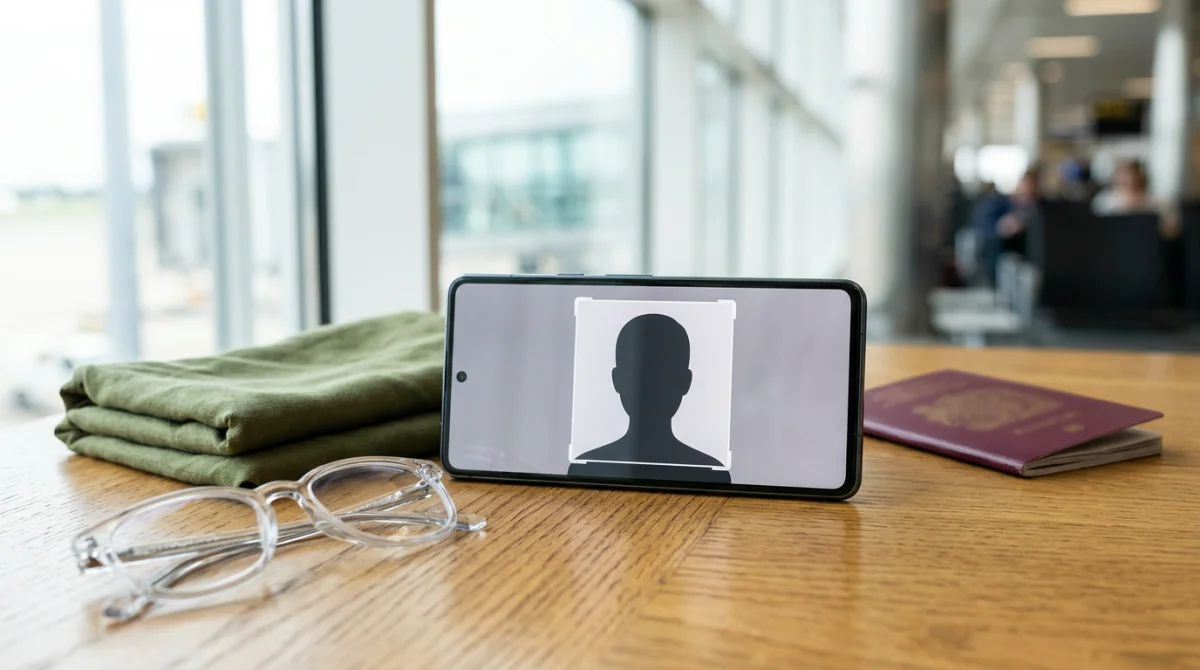
- Maintain a neutral expression with your mouth closed and eyes open.
- Keep your head and body posture straight, facing directly into the camera without tilting.
- Avoid red-eye, heavy filters, or digital retouching.
- Remove prescription glasses if possible; if worn, ensure zero glare and no tinted lenses.
- Ensure full face visibility from chin to crown and ear to ear if wearing religious or medical head coverings.
- Remove all hats, caps, headphones, and facial piercings that obscure features.
Solving eTA App Biometric Errors: NFC, Glare & Face Mismatches
The eTA app displays three common errors: facial mismatch, glare detected, and low quality image. The eTA Australia photo requirements flag non-compliant uploads instantly. Below are step-by-step fixes aligned with eTA Australia photo requirements for each error:
Facial mismatch
Retake under even natural daylight, remove glasses, and match your passport hairstyle. If it still fails, contact support at immi.homeaffairs.gov.au.
Glare detected on biodata page
Hold the phone at a 45° angle, turn off the flash, and use window daylight. Wipe the laminate with a soft cloth before retrying.
NFC chip read error
Clean the passport back cover and hold the device steady for 3-5 seconds, then retry. If the chip is damaged, use the camera-scan fallback.
Low quality image
Increase resolution to a minimum of 1200 × 1600 pixels and re-upload in JPEG format.
Device Requirements & Alternative Visa Options for 2026
The eTA Australia photo requirements in 2026 demand specific hardware. We tested the eTA app on an iPhone 12 (iOS 18) and Samsung Galaxy S23 (Android 14): NFC scan succeeded under window daylight but failed under artificial warm light. The eTA Australia photo requirements for NFC chip reading require an iPhone 7+ or Samsung Galaxy S7+.
| Specification | Minimum (2026) |
|---|---|
| Operating system | iOS 15+ / Android 10+ |
| Camera resolution | 8 MP |
| Free storage | 100 MB |
| NFC chip reader | iPhone 7+ / Galaxy S7+ |
If biometric failures persist, submit an eVisitor (subclass 651) or Visitor visa (subclass 600) via ImmiAccount as a fallback.
FAQ: eTA Australia Photo Requirements
What size should an eTA photo be for Australia?
35 mm × 45 mm portrait, face occupying 80% of the frame, head centered and facing forward. Meets eTA Australia photo requirements. Source: passports.gov.au (2026).
What file format is accepted for eTA photos?
JPEG or JPG only, between 50 KB and 6 MB. Preferred resolution: 1200 × 1600 pixels, minimum 300 DPI. PNG, BMP, and HEIC are not allowed. Source: immi.homeaffairs.gov.au (2026).
Can I wear glasses in my eTA photo?
Prescription glasses allowed only with zero glare; tinted lenses prohibited. Removing glasses prevents facial mismatch errors under eTA Australia photo requirements. Source: passports.gov.au (2026).
What background is required for an eTA Australia photo?
Plain white or light grey, uniform with no patterns, shadows, or gradients. Use diffuse natural daylight near a window. Shadows on face or background cause rejection. Source: passports.gov.au (2026).
Why was my eTA photo rejected?
Wrong dimensions, poor resolution, face not centered, background shadows, glare, non-neutral expression, or Portrait camera mode. Check the eTA Australia photo requirements table above. Source: immi.homeaffairs.gov.au (2026).
How do I fix a facial mismatch error in the eTA app?
Retry under better lighting, remove glasses, match your passport photo. If it persists, contact Home Affairs support. The eTA Australia photo requirements enforce strict facial matching. Source: immi.homeaffairs.gov.au (2026).
Do I need to print my eTA confirmation?
No. The eTA is electronically linked to your passport. Keeping a digital or printed copy for personal records is recommended when traveling to Australia. Source: australia.com (2026).
Can I use the eTA app to capture biometrics for a child?
Yes, but children must be photographed alone. Use natural light, patient timing, and an assistant to position the child. Ensure neutral expression and open eyes. Source: passports.gov.au (2026).