

Australia’s eTA (subclass 601) requires a valid biometric passport, a live in-app selfie, an active email address, and a payment card. The eTA costs approximately AUD 20, grants multiple entries over 12 months, and is electronically linked to your passport. Additional arrival-stage documents may be checked at the Australian border.
Gather
A valid biometric passport from an eligible country
Scan
Its chip via NFC
Submit
Your eTA Australia documents through the ETA app or ImmiAccount
The checklist covers identity proofs, digital file requirements, payment details, and on-arrival documents.
What Is the eTA and Valid Passport Requirements
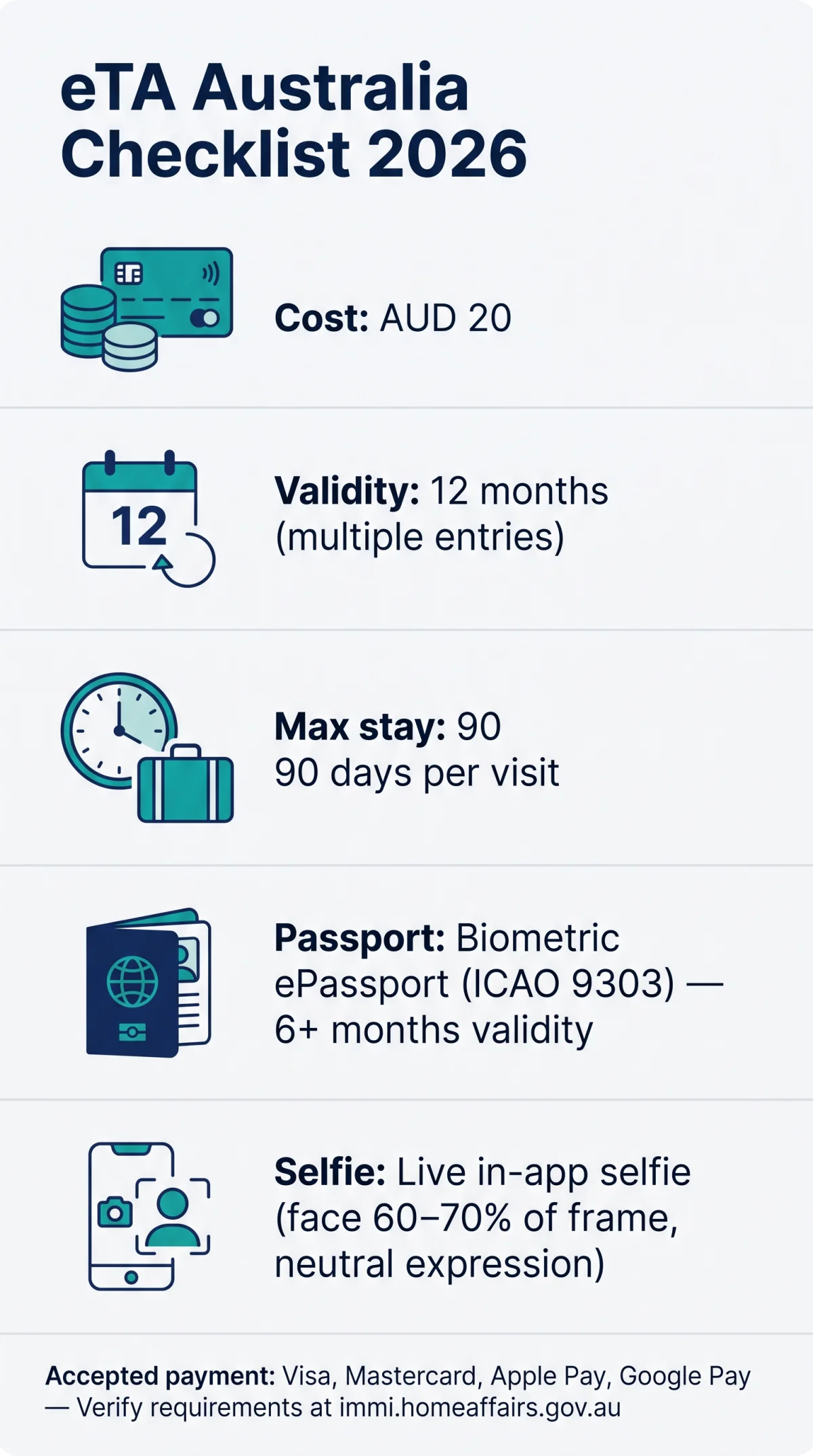
According to the Australian Department of Home Affairs (immi.homeaffairs.gov.au), the eTA (subclass 601) is a digital travel authority valid for 12 months with multiple entry stays of up to 90 days per visit. It requires a biometric passport (ePassport with ICAO 9303 chip) from an eligible country (US, UK, Canada, EU, Malaysia, Singapore, Japan, South Korea, Hong Kong) with at least 6 months of passport validity from the entry date.
Applicants must gather the following core identity fields: passport number, expiration date, nationality, and date of birth. No physical stamp is issued; the eTA is electronically linked to the passport. Australian citizens, residents, and holders of other valid visas do not require an eTA. Travelers without an NFC-enabled smartphone can submit eTA Australia documents through ImmiAccount on a desktop computer.
How to Check If Your Passport Is an ePassport
- Look for the ePassport symbol on the front cover of your passport.
- Verify that your country issues ICAO 9303-compliant biometric passports.
- Check your phone manufacturer’s specifications page to confirm NFC capability.
Technical Requirements: ETA App, NFC, and Live Selfie Capture
The free Australian ETA app requires an NFC-enabled smartphone running iOS 10+ or Android 7+ to read your passport biometric chip and capture a live selfie.
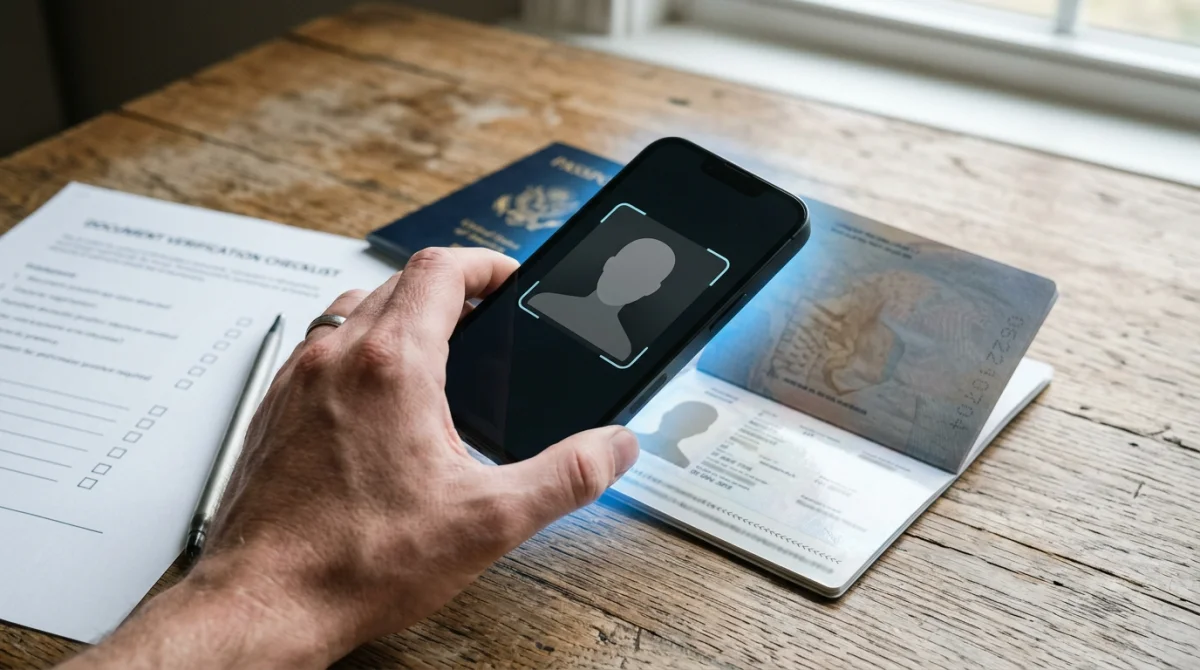
The eTA Australia documents checklist requires a working camera, stable internet, and an NFC-enabled phone to read your passport’s ICAO 9303 biometric chip. Verify NFC support in your phone’s settings (Settings > Connected devices > NFC).
The eTA Australia application captures a live biometric selfie requiring a neutral expression, no sunglasses, a plain background, even lighting, and the face filling 60-70% of the frame. Religious headwear exceptions apply. Any separately uploaded files must be in JPEG or PNG format. Common selfie failures include poor lighting, shadows, and face obstruction; retake in a well-lit room facing the camera directly.
If your device cannot run the ETA app, submit your eTA Australia documents through ImmiAccount on a desktop computer via immi.homeaffairs.gov.au.
Complete Document Checklist for eTA Australia in 2026
eTA Australia documents include a valid biometric passport, a digital photo or live selfie, an active email address, and a credit or debit card for payment. You must also ensure your passport is from an eTA-eligible country and has at least 6 months of validity. Additional documents may be needed for minors or name changes.
Four categories: identity, digital/tech, financial (border only), and on-arrival documents.
1. Identity Documents
- Valid biometric passport (ePassport with ICAO 9303 chip)
- Current passport number
- Passport expiration date
- Date of birth
- Nationality / country of citizenship
- Live biometric selfie captured in-app
2. Digital and Tech Requirements
- Active email address (approval sent by email)
- Credit or debit card (Visa, Mastercard, Apple Pay, Google Pay)
- NFC-enabled smartphone (iOS 10+ or Android 7+)
- File format compliance: JPEG or PNG
3. Financial Evidence (Arrival Only)
- Proof of sufficient funds (bank statements, last 3 months)
4. On-Arrival Documents
- Incoming Passenger Card
- Return or onward ticket
- Accommodation details
- Health insurance declaration (optional)
Edge Cases
- Birth certificate for minors applying with a parent
- Marriage certificate or deed poll for name changes
- Yellow fever certificate if arriving from a transmission-risk country
- Previous visa refusal declaration (self-attested)
- Character requirements declaration (self-attested)
| Document | Category | Required? | Notes |
|---|---|---|---|
| Biometric passport | Identity | Yes | ICAO 9303 chip mandatory |
| Active email | Digital | Yes | Approval delivered by email |
| Payment card | Digital | Yes | Fee approximately AUD 20 |
| Bank statements | Financial | Border only | Last 3 months |
| Incoming Passenger Card | On-Arrival | Yes | Completed on plane or digitally |
Application-Stage vs. Arrival-Stage Documents, Payment, and Special Cases
The application requires only a passport, email, payment card, and in-app selfie.
| Before You Apply | When You Arrive in Australia |
|---|---|
| Valid biometric passport | Proof of sufficient funds |
| Active email address | Return or onward ticket |
| Credit or debit card | Accommodation details |
| Live in-app selfie | Incoming Passenger Card |
| Passport number and expiry date | Health insurance (recommended) |
Fee: ~AUD 20 (Visa, Mastercard, Apple Pay, Google Pay). Non-refundable; transaction reference number issued per payment.
Minors and Name Changes
For eTA Australia, minors need a birth certificate to prove parent-child relationship, alongside the child’s own passport and parental consent. Applicants whose name changed must present a marriage certificate or deed poll matching passport data for their eTA Australia application. Character requirements are self-attested at submission; no additional documents are needed unless further review is requested.
Common Errors That Cause Rejection
- Wrong photo format (JPEG or PNG only)
- Expired passport or missing biometric chip
- Typos in name or passport number
- No active email for approval delivery
- Declined payment card
Last reviewed: 31 August 2026. This is an unofficial guide for informational purposes only. Always verify requirements on the Department of Home Affairs website (immi.homeaffairs.gov.au).
FAQ: eTA Australia Documents Checklist
Do I need to print my eTA?
No, the eTA is digitally linked to your passport and no physical stamp or printout is required for travel. Carrying a printed confirmation email as backup is recommended.
Do I need a return ticket before applying for eTA Australia?
No, a return or onward ticket is not required when you submit your eTA Australia application. May be requested at border; prepare e-ticket or itinerary in advance.
Do I need to provide an Australian address when applying?
No, the eTA application form does not require an Australian residential address or accommodation booking. Have accommodation details accessible at the airport.
Do I need to declare a previous visa refusal?
Yes, any previous Australian visa refusal must be declared on the eTA application form. The declaration is self-attested; no additional documents are required at the application stage, but certain refusals may trigger further review by the Department of Home Affairs.
Do I need certified or notarised copies of documents?
No, the eTA application does not require certified or notarised copies. Original passports and digital copies are sufficient; the live biometric selfie is captured directly within the ETA app.
Can I apply for eTA Australia if I have a criminal record?
Character requirements are self-attested within the eTA application; you declare your criminal history without uploading additional documents. Certain serious convictions may trigger further review by the Department of Home Affairs.
What payment methods are accepted for eTA Australia?
Visa, Mastercard, Apple Pay, and Google Pay are accepted through the Australian ETA app. The fee is non-refundable if refused; a transaction reference number is provided.
What file formats are accepted for eTA documents?
Accepted file formats include JPEG and PNG, with specific size and resolution limits specified in the app. The live biometric selfie is captured directly within the ETA app, so a separate photo file upload is not required.
How will I receive my eTA approval?
Approval is emailed within minutes to hours. The eTA is electronically linked to your passport; saving the confirmation email and reference number is recommended for backup.
Do I need health insurance for eTA Australia?
No, health insurance is not an eTA application requirement. However, a yellow fever vaccination certificate is required if arriving from a country listed as a yellow fever transmission risk.